

RayGit
A Git client that shows its work.
Available now for macOS.
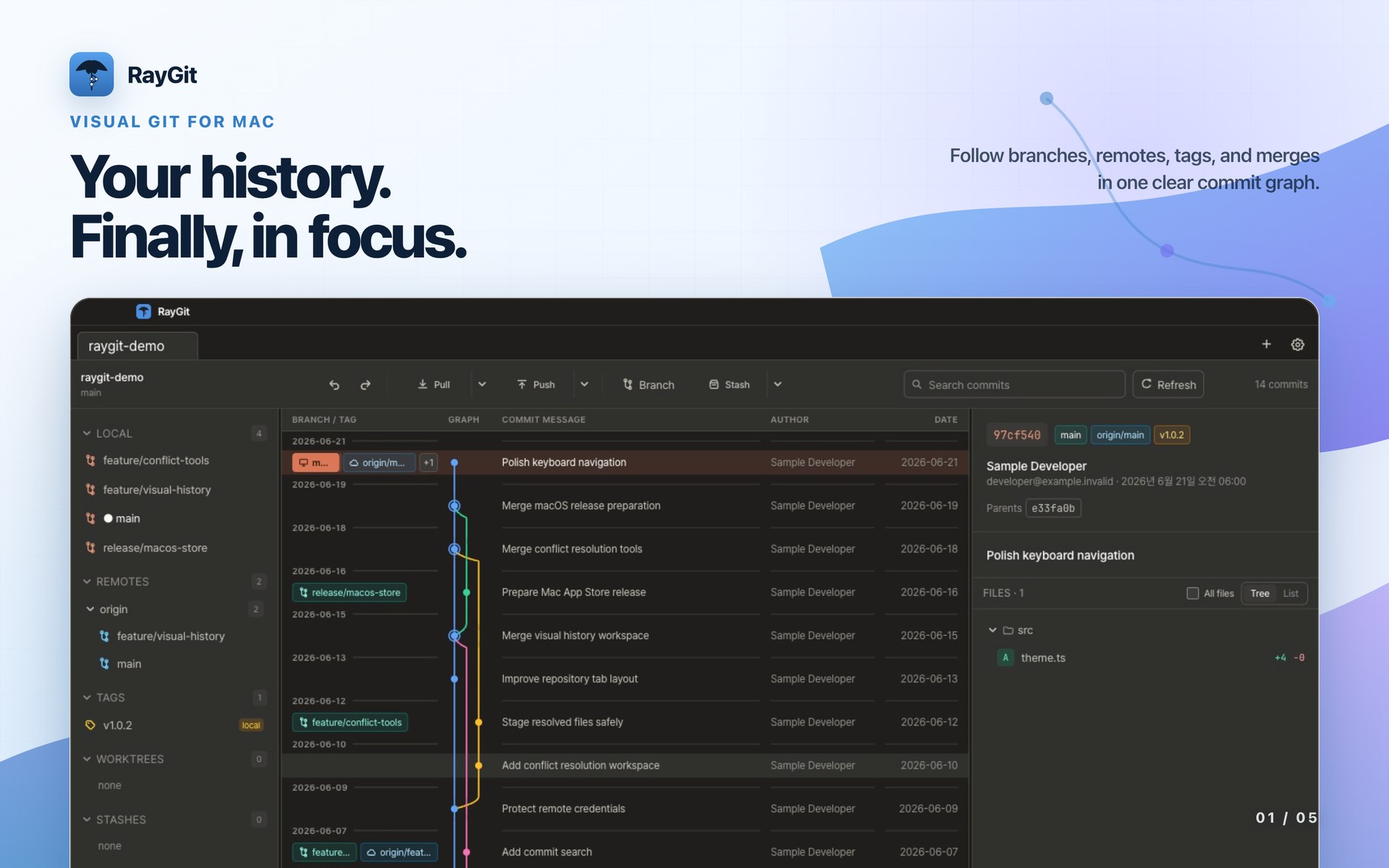
Follow history, inspect each change, and move branches forward without losing sight of what Git will do next.
RayGit for Mac is available now on the App Store.
Graph, refs, commits, and working changes in one continuous view.
Read metadata and file diffs before choosing the next operation.
Stage, commit, branch, stash, merge, pull, and push with context intact.
What it does
From history to working tree, one clear workflow.
RayGit keeps the graph, the diff, and the action close together so routine work stays quick and risky work stays visible.
Follow the whole history
See branches, remotes, and tags on a lane-rendered graph. Search by message, author, or commit ID and keep moving through large histories.
Review every change
Open commit details, browse changed files as a tree or list, and inspect per-file diffs before acting.
Shape the working tree
Watch live status, stage or unstage work, discard changes, and commit or amend from one focused panel.
Keep branches moving
Pull with an explicit strategy, push with upstream awareness, and create branches, tags, and stashes without leaving the context.
Handle real repositories
Clone with progress and cancellation, work across multiple tabs and worktrees, and keep merge conflicts visible until they are resolved or aborted.
Commit with your local Codex Agent
Auto hands the staged changes to the installed OpenAI Codex CLI and turns the message it returns into a real commit. Progress stays visible throughout.
Local Codex Agent
Stage the change.
Let Codex write the commit.
If you use OpenAI Codex, RayGit offers an AI-powered Auto commit. Press Auto and RayGit calls the OpenAI Codex CLI installed on your machine. The staged changes go over read-only, so Codex cannot edit your files. What comes back is a commit message in Conventional Commits form — feat:, fix:, and so on. RayGit writes the commit itself.
- Progress stays visible in the Agent dock, and you can keep working while it runs.
- If nothing is staged, Auto first stages every change not excluded by .gitignore.
- Custom Agent tasks and conflict help reuse the same Codex command you configure here.
Get RayGit
macOS today. Windows and Linux next.
One product, released in a deliberate order. The macOS build is on the Mac App Store now; the next links appear only when each build is ready to ship.
macOS
Sandboxed build reviewed by Apple, installed and updated through the App Store. Requires macOS 13 or later on Apple silicon.

Windows
The same focused Git workflow will come to Windows after the macOS release.
PlannedLinux
Package formats and release timing will be announced as the desktop rollout expands.
On the roadmap