
RayPDF
The lightweight, fast PDF editor
for Mac and Windows.
Read, search, annotate, fill forms, and reorganize pages — all on your machine, nothing goes to the cloud.
RayPDF for Mac is available now on the App Store. The Windows version is coming next.
What it does
Open. Read. Fix. Save.
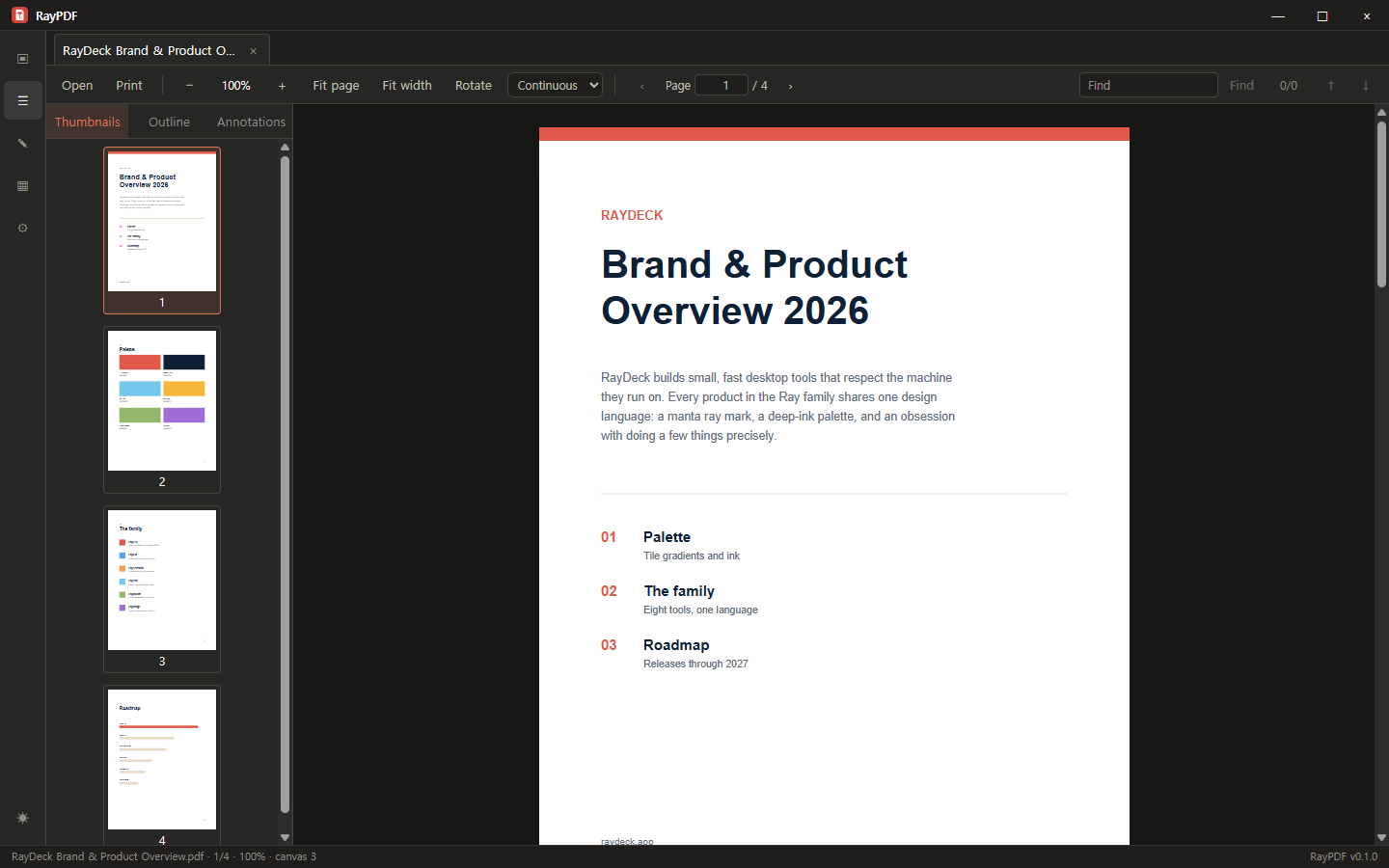
RayPDF covers the everyday PDF work — fast reading, real annotations, forms, and page surgery — and skips the bloat.
Reads big files fast
Only visible pages get rendered, under a strict memory budget. Tabs, search, thumbnails, and outline keep long documents navigable.
Annotations that travel
Highlights, notes, ink, stamps, and signatures — saved into the file so Preview, Acrobat, and everything else can read them.
Forms, done properly
Fill AcroForm fields and flatten the result when a form needs to become a plain, uneditable document.
Page surgery
Rotate, delete, reorder, merge, split, watermark. Add text boxes, images, and shapes. Undo when you change your mind.
Printing you can trust
A real preview that matches what comes out of the printer, with page-range control.
English and Korean
Switch languages in Settings and the whole app follows instantly — dialogs, menus, and legal pages included. No restart.
Privacy
Your documents are
none of our business.
Files are processed only on this computer — network features ship disabled entirely.
No account, no upload. No "AI-powered cloud enhancement." A PDF tool should read documents, not phone home about them.
A PDF utility that gets the fundamentals right — that's the whole ambition.
Read the privacy notice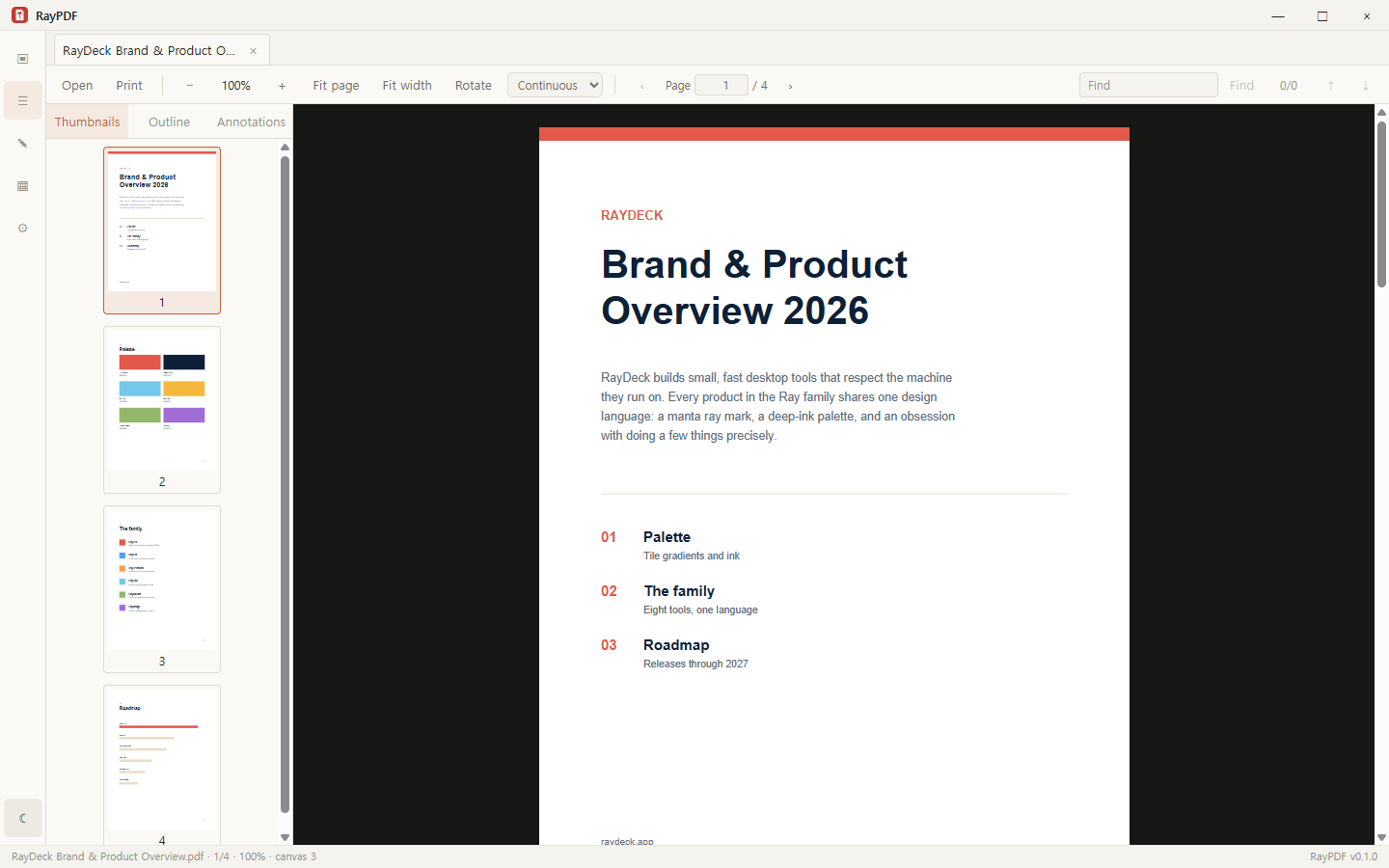
Get RayPDF
Two platforms, one app.
Same features, same files, same keyboard habits on both sides.
Mac App Store
Sandboxed build reviewed by Apple, installed and updated through the App Store.

Windows
Direct download from raydeck.app — no store account needed. Windows 10/11, x64.
Coming soonThe Mac version is available now on the App Store. The Windows version will follow.